
Your sales and purchases book, ready for your accountant.
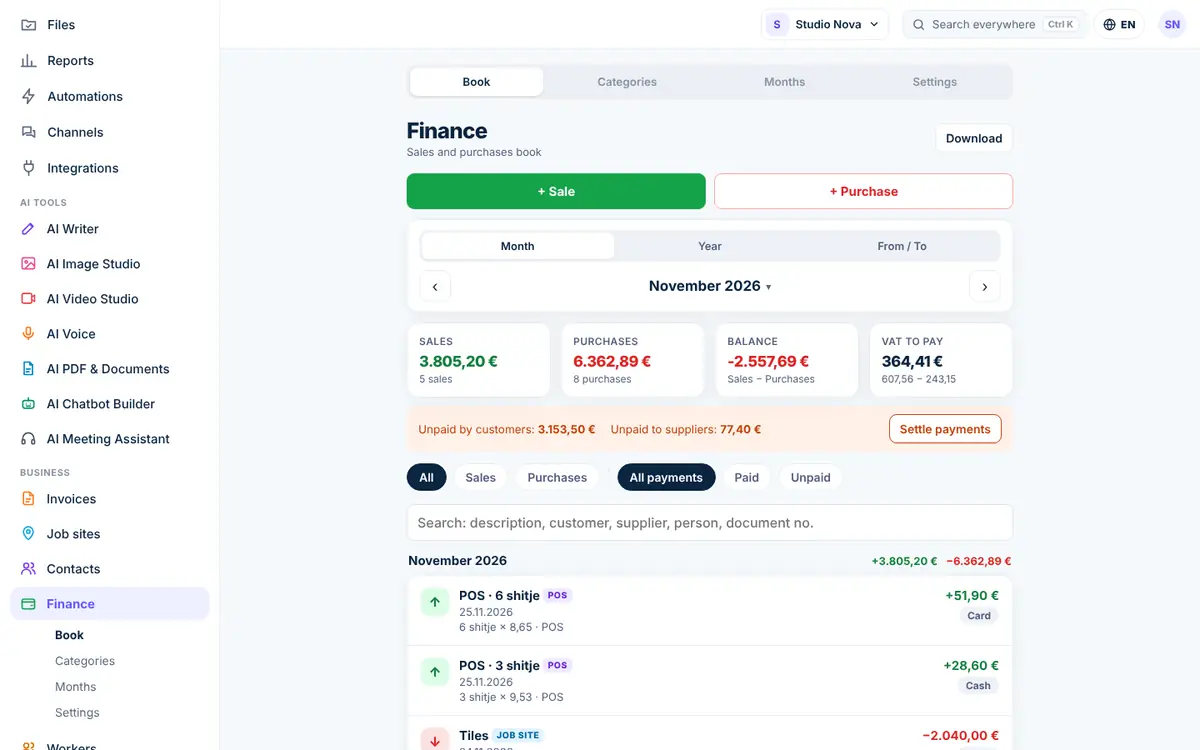
Sales and purchases book: every entry with date, quantity, price and VAT, split by month, with Excel or PDF export.
Each month's balance and VAT, ready.
Start free with FinanceFree, no credit card. Or log in
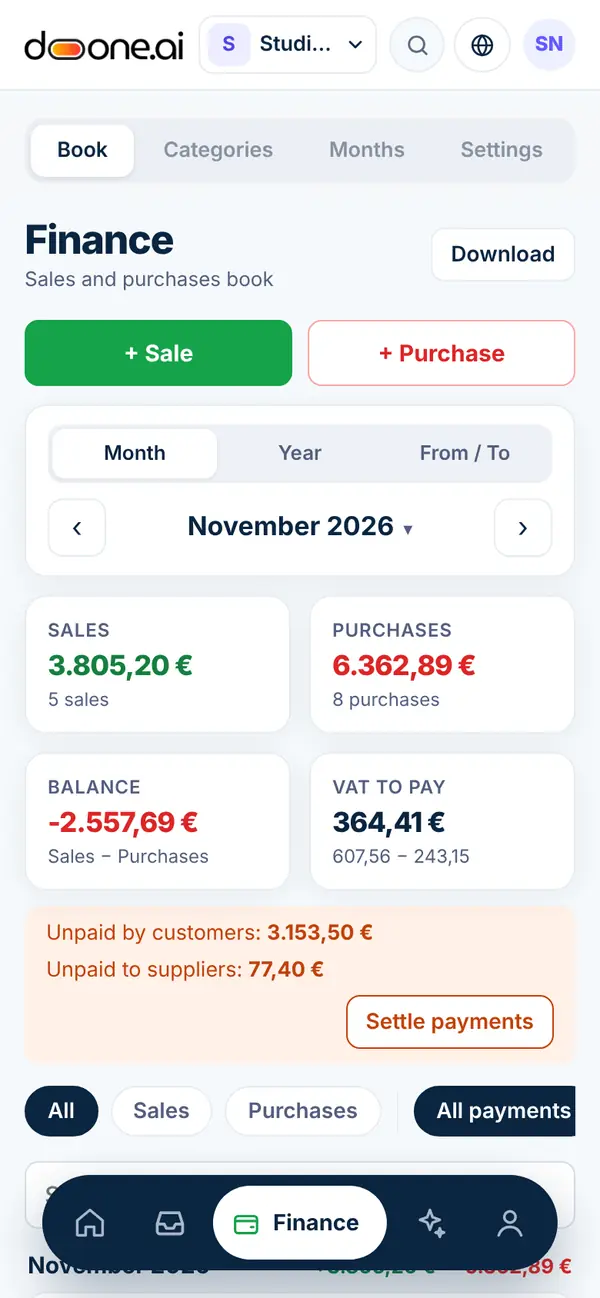
Sales and purchases with date, quantity, price and VAT, split by month.
Take a photo of a purchase invoice and AI fills in the fields.
See what you sold, what you bought and how much VAT you owe this month.
Send the month's book to your accountant in one click, or invite them to your account.
How to start
- Add sales and purchases, or connect Invoices
- Check the month's balance and VAT
- Export and send to your accountant
Use just this tool, with nothing else around it. It opens as soon as you sign in.
When you need more, add other tools to the same business or as a separate business.
Works on any device, even offline for a while.
Frequently asked questions
Do I enter invoices twice?
No. Invoices created in Invoices appear here as sales automatically.
Can I invite my accountant?
Yes. They sign in with their own account and see only what you allow.
Is VAT calculated for me?
Yes, using each line's rate, with prices including or excluding VAT.